How to Export Unsaved WhatsApp Numbers
Not every useful WhatsApp conversation belongs to a saved contact. NX helps you separate available unsaved contacts from the rest of your list, then export the selection without manually copying each number.
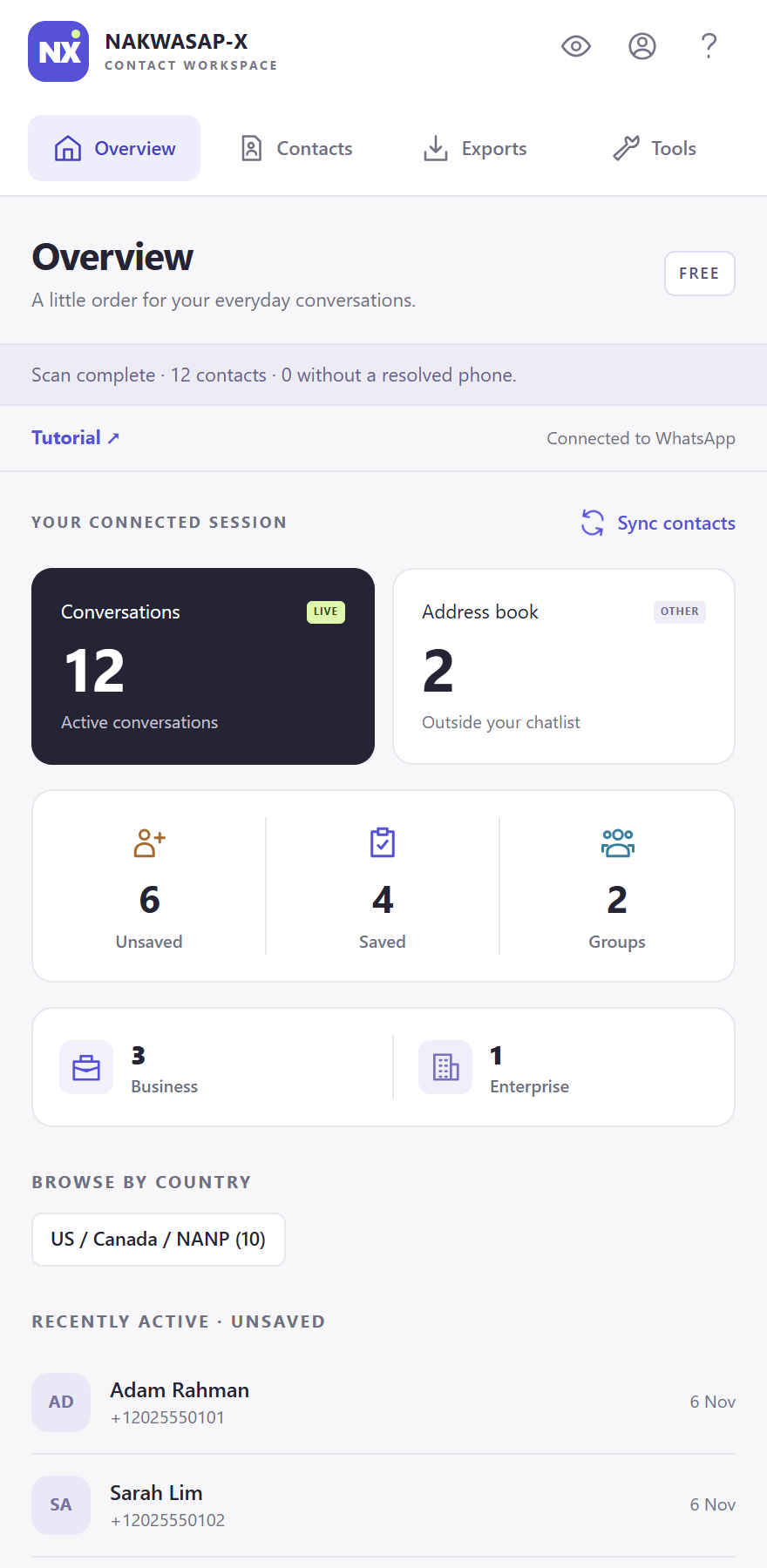
What “unsaved” means in NX
The Unsaved filter uses the saved-contact status available from your connected WhatsApp session. It includes contacts marked as unsaved, and leaves out contacts whose saved status is unknown. It is not a list of everyone who has viewed your profile, and it does not search other accounts or discover hidden phone numbers.
This distinction matters when you compare the Overview totals with an exported file. One total may include contacts without a resolved phone number, while an export with Phone Numbers Only enabled will leave those rows out.
Build a list of unsaved numbers
- Open NX in your connected WhatsApp Web session and wait for the scan to finish. If the account has just linked, allow WhatsApp to finish syncing.
- Open Exports → Chatlist. Use Chatlist contacts to focus on conversations, or All available contacts for the broader set available to NX.
- Enable Unsaved Contacts Only. Add a country or name filter only if you need a narrower list. An old filter left active can make a result look unexpectedly small.
- Under More options, keep Phone Numbers Only enabled for a list that requires phone numbers.
- Open Preview contacts. Check the entries and select individual contacts if you need a subset. Choose Excel or CSV from the format menu, then export.
The Free plan applies a 15-contact limit per export or selected group. Check the completion notice before treating the downloaded file as your complete matching list. Current plan options are shown on the pricing page.
Check country filters carefully
NX estimates country from the phone calling code. This is useful for organizing a list, but it is not proof of where a person currently lives or works. Some calling-code regions are shared, such as the US/Canada/NANP grouping shown in the interface.
If you are looking for one known conversation, start without a country filter and search for the name. Restore your wider filters only after confirming that the contact appears. For contacts with unknown country information, a country-specific filter may exclude the row.
When a contact is missing
First check that NX is connected to the intended WhatsApp account. Next, clear filters that you do not need, check whether you selected only a few rows, and use Sync contacts. Read any scan warning instead of assuming that every number is available.
A group participant may need to be loaded through the Groups export source. Follow our group contact guide for that workflow. If WhatsApp does not expose a phone number, NX cannot reconstruct it from a display name.
Organize the list before using it
An unsaved number does not automatically represent a new lead, an active customer or permission to contact someone. Review the conversation context and use the list only for the purpose you have permission to carry out.
You can keep notes, tags and details in the NX Contacts view for an open conversation. Those local details help distinguish a support request from a sales enquiry when you later export. Keep a small test file first, then choose the file format your destination actually accepts.
Exporting does not automatically add these contacts to your phone or send them messages. For spreadsheet review, see our Excel export walkthrough. Treat the resulting file as contact data and share it intentionally.